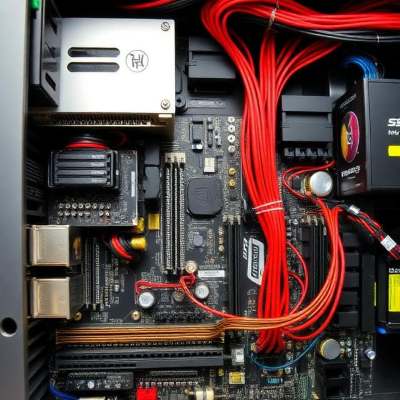
Running large language models like Llama 3, Mistral, DeepSeek, Gemma, Falcon, and Kimi on your own hardware is increasingly accessible — but knowing what specs you need is essential. This guide covers hardware requirements for running open-source LLMs locally, from lightweight 7B models to massive trillion-parameter models like Kimi K3.
1. Model Size and Memory Requirements
Model size is the single biggest factor determining hardware needs. The table below shows VRAM (GPU memory) and RAM (system memory) estimates for common parameter sizes when running at full precision. Models from different families (Llama, Mistral, DeepSeek, Qwen, Kimi, etc.) follow similar memory scaling.
| Model Size |
Typical VRAM (GPU) |
Typical RAM (CPU-only) |
Example Models |
| 1B–3B parameters |
4–8 GB VRAM |
8–16 GB RAM |
Gemma 2B, Phi-3 Mini, Qwen2.5-1.5B |
| 7B–8B parameters |
8–16 GB VRAM |
16–32 GB RAM |
Llama 3 8B, Mistral 7B, DeepSeek 7B |
| 13B–14B parameters |
16–28 GB VRAM |
32–64 GB RAM |
Llama 2 13B, Code Llama 13B |
| 30B–34B parameters |
24–48 GB VRAM |
64–96 GB RAM |
Yi 34B, Code Llama 34B |
| 65B–70B parameters |
40–80 GB VRAM |
128+ GB RAM |
Llama 3 70B, DeepSeek 67B |
| 100B+ parameters |
80+ GB VRAM (multi-GPU) |
192+ GB RAM |
Falcon 180B, Llama 3 405B |
| 1T parameters (Kimi K2/K2.5) |
144 GB+ (H200) or 240 GB unified memory |
240 GB+ (with extreme quantization) |
Kimi K2, Kimi K2.5 |
| 1T parameters (Kimi K2.6) |
640 GB+ (8× H100/H200) |
350 GB+ (Q2 quantization minimum) |
Kimi K2.6 |
| 2.8T parameters (Kimi K3) |
1,680 GB+ (64+ data-center GPUs) |
Not viable on CPU |
Kimi K3 |
* Models above ~100B typically require multiple GPUs or high-end server hardware. Running on CPU alone is not recommended. Kimi models (1T–2.8T) are a special case requiring enterprise-grade hardware or extreme quantization.
GPU VRAM Rules of Thumb:
- NVIDIA RTX 3060 (12 GB) — comfortable for 7B models at full precision
- NVIDIA RTX 3090/4090 (24 GB) — handles 7B–13B models with ease, up to 30B with quantization
- NVIDIA A100 (40–80 GB) or H100 (80 GB) — handles 30B–70B+ models
- NVIDIA H200 (141 GB) — can run trillion-parameter models like Kimi K2.5 with 1.8-bit quantization
- Apple Silicon (M1/M2/M3 Max/Ultra with 64+ GB unified memory) — can run 30B–70B models using Metal acceleration; 256 GB needed for Kimi K2.5/K2.6 quantized
CPU-only Considerations:
Running LLMs on CPU-only is possible but significantly slower (expect 1–5 tokens/second on large models). Modern CPUs with high core counts and fast DDR5 RAM help, but GPU inference is always preferred for responsiveness. Trillion-parameter models like Kimi are not viable on CPU-only setups.
2. GPU Recommendations by Tier
NVIDIA remains the standard for LLM inference thanks to CUDA and widespread framework support. AMD GPUs work with ROCm, and Apple Silicon is supported via Metal/MPS, but compatibility can vary between tools.
- Entry-level: RTX 3060 12 GB, RTX 4060 Ti 16 GB — fine for 7B models and quantized 13B
- Mid-range: RTX 3090 24 GB, RTX 4090 24 GB — great for 7B–13B at full precision, up to 30B quantized
- Enthusiast: Used RTX A6000 (48 GB), dual RTX 3090s — opens up 30B–70B models
- Professional/server: A100 80 GB, H100 80 GB — for 70B+ models and production inference
- Kimi/trillion-parameter tier: H200 141 GB, or 8× H100/H200 — for 1T+ parameter models with quantization
3. CPU and RAM Recommendations
- Modern multi-core CPU (AMD Ryzen 7/9 5000 series or newer, Intel Core i7/i9 12th-gen or newer).
- At least 32 GB RAM for comfortable 7B–13B model usage; 64+ GB recommended if partially offloading to system RAM.
- 256 GB+ unified memory (Apple Silicon) or 256 GB+ system RAM for trillion-parameter models like Kimi K2.5/K2.6 with quantization.
- DDR5 RAM offers better bandwidth, which directly improves CPU inference speed.
- Expect 5–10× slower performance on CPU vs. GPU for comparably sized models.
4. Storage Requirements
Model files range widely in size depending on parameters and precision:
- 7B model (full FP16): ~15 GB
- 7B model (4-bit GGUF/Q4_K_M): ~4–5 GB
- 70B model (full FP16): ~140 GB
- 70B model (4-bit GGUF): ~40 GB
- Kimi K2.5 (1T, Q4 GGUF): ~584 GB
- Kimi K2.6 (1T, Q2): ~340 GB minimum; Q8: ~595 GB
- Kimi K3 (2.8T): ~1.56 TB checkpoint; ~4 TB recommended workspace
Recommendation: Use an NVMe SSD (1–2 TB minimum) for fast model loading. If you plan to run multiple models, allocate 500 GB–1 TB for model storage. For Kimi models, budget 1–4 TB of NVMe storage.
5. Quantization: Make Big Models Fit Small Hardware
Quantization is the single most effective way to lower hardware requirements. Modern formats like GGUF (used in llama.cpp) and GPTQ/AWQ (used in ExLlama) can reduce memory usage by 50–75% with minimal quality loss.
- 8-bit (INT8): ~50% memory reduction. A 7B model drops from ~14 GB to ~7 GB VRAM.
- 4-bit (INT4): ~75% reduction. A 7B model fits in ~4–6 GB VRAM — perfect for laptops and mid-range GPUs.
- 1.8-bit (UD-TQ1_0): ~88% reduction. Makes Kimi K2.5 (1T) runnable on a single H200 GPU (~7 tok/s) or a 256 GB Mac Studio.
- 1-bit quantization: ~87.5% reduction. Used for Kimi K2 to fit on ~250 GB storage with heavy RAM/VRAM offloading.
- Popular tools: llama.cpp, Ollama, LM Studio, Text Generation WebUI (oobabooga), ExLlamaV2
- Format note: GGUF/GGML for CPU and Apple Silicon; GPTQ/AWQ for NVIDIA GPU-only; MLX for Apple Silicon.
6. Running Kimi Models Locally: A Deep Dive
Important: The Kimi Chat web/app service is cloud-only and cannot be run locally. However, Moonshot AI has released several open-weight models (K2, K2.5, K2.6, K3) that can be self-hosted. These are trillion-parameter models with unique hardware demands.
Kimi Model Hardware Requirements
| Model |
Parameters |
Min. Hardware |
Recommended Hardware |
Storage |
| Kimi K2.5 |
1 trillion |
~80 GB RAM (heavy offload, very slow) |
256 GB unified memory (Mac) or 1× H200 141 GB (1.8-bit) |
~584 GB (Q4) |
| Kimi K2.6 |
1 trillion |
~350 GB combined RAM+VRAM (Q2) |
8× H100 80 GB (Q4) or 8× H200 141 GB (Q8) |
~340 GB (Q2) – ~595 GB (Q8) |
| Kimi K3 |
2.8 trillion |
1,680 GB VRAM (vLLM estimate) |
64+ data-center GPUs (GB300/H100 cluster) |
~1.56 TB checkpoint; ~4 TB workspace |
Kimi Hardware Cost Breakdown (2026)
| Setup |
Purchase Price (CapEx) |
Cloud Rental (OpEx) |
What It Runs |
| Mac Studio M3 Ultra (256 GB) |
$5,599 – $11,699 |
N/A |
K2.5 / K2 quantized; K2.6 Q2 (slow) |
| Single H200 141 GB |
$32,000 – $40,000 |
$3.49 – $10.60 / GPU-hr |
K2.5 at 1.8-bit (~7 tok/s) |
| Single H100 80 GB |
$25,000 – $33,000 |
$2.19 – $11.06 / GPU-hr |
K2.5 with extreme quant + RAM offload |
| 8× H100 80 GB Server |
$350,000+ |
~$15,000 – $35,000 / mo |
K2.6 Q4; K2.5 full quality |
| 8× H200 141 GB Server |
$320,000 – $420,000 |
~$20,000 – $45,000 / mo |
K2.6 Q4/Q8; K2.5 full quality |
| 8× GB300 NVL72 Rack |
$3M – $4M per rack |
Enterprise contract only |
K3 at production scale |
| Minimal K3 Cluster |
$3M – $5M+ |
$50,000 – $100,000+ / mo |
K3 FP16 / INT8 |
Kimi Deployment Verdict by Budget
- $6,000 – $12,000: Mac Studio M3 Ultra (256 GB) — K2.5 / K2 with heavy quantization; K2.6 Q2 (slow)
- $30,000 – $40,000: Single H200 GPU + workstation — K2.5 at 1.8-bit quant (~7 tok/s)
- $300,000 – $450,000: 8-GPU H100 or H200 server — K2.6 at Q4/Q8; K2.5 at full quality
- $3M – $5M+: Multi-node GB300/Blackwell cluster — K3 at production scale
- Cloud rental: $2.19 – $11.06 per GPU-hour — same tiers, pay-as-you-go
Bottom line: For nearly all individuals, use the Kimi API or web service. Local deployment of trillion-parameter models is an infrastructure project. The Mac Studio is the only sub-$10,000 option that can run a trillion-parameter model at all, albeit slowly and with quantization.
7. Example Hardware Setups and What They Can Run
- Budget/Laptop Setup:
- GPU: RTX 3060 12 GB (or Apple M2 Pro with 16 GB unified memory)
- RAM: 32 GB
- Storage: 1 TB NVMe SSD
- Can run: 7B models at full precision, 13B quantized (Q4_K_M)
- Cannot run: Any Kimi model
- Mid-Range/Enthusiast Setup:
- GPU: RTX 4090 24 GB (or dual 3090s)
- RAM: 64 GB DDR5
- Storage: 2 TB NVMe SSD
- Can run: 7B–13B at full precision, up to 34B quantized, or 70B quantized (GGUF offloaded)
- Cannot run: Any Kimi model (insufficient VRAM/RAM)
- High-End/Pro Setup:
- GPU: A100 80 GB or H100 (or Apple M2 Ultra 76-core GPU, 192 GB unified memory)
- RAM: 128+ GB
- Storage: 4 TB NVMe SSD
- Can run: 70B+ models at full precision or with light quantization
- Cannot run: Kimi K2.6/K3; K2.5 only with extreme quantization
- Kimi Entry Setup (New):
- GPU: Apple M3 Ultra 80-core GPU (256 GB unified memory)
- RAM: 256 GB unified memory
- Storage: 2 TB NVMe SSD
- Can run: Kimi K2.5 Q4, Kimi K2 Q4 (slow-to-moderate speed)
- Cost: $5,599 – $11,699
- Kimi Pro Setup (New):
- GPU: 8× H200 141 GB (SXM5) in HGX server
- RAM: 2 TB+ system RAM
- Storage: 8 TB NVMe SSD
- Can run: Kimi K2.6 Q8, Kimi K2.5 full precision
- Cost: $320,000 – $420,000
- Kimi Enterprise Setup (New):
- GPU: 64+ GB300 / H100 in multi-node cluster
- RAM: 10 TB+ aggregate
- Storage: 100 TB+ NVMe / parallel filesystem
- Can run: Kimi K3 at production scale
- Cost: $3M – $5M+
8. Cloud Alternatives: Skip the Hardware
If purchasing expensive hardware isn't an option, cloud GPU services provide flexible access:
- RunPod, Vast.ai, Lambda Labs — affordable GPU rentals (from ~$0.30/hr for RTX 3090 to ~$2/hr for A100)
- AWS (p4d/p5), Google Cloud (A100/H100), Azure — enterprise cloud with on-demand instances
- Together.ai, Fireworks, Groq — serverless inference APIs for open models (no infrastructure management)
- Hugging Face Inference Endpoints — one-click deployment of supported models
- Kimi-specific: Use the official Kimi API or web service for K3 access; rent H100/H200/GB300 instances from CoreWeave, Lambda, or hyperscalers for self-hosting open-weight Kimi models
Cloud Rental Economics
For intermittent use, cloud is almost always cheaper than buying. An H100 breaks even vs. cloud at roughly 2,750 hours (~115 days) of continuous use. For a few hours of experimentation per week, rent. For a permanent production API serving traffic 24/7, buy.
9. Software Stack: Tools to Get Started
- One-click local inference: Ollama, LM Studio, GPT4All (beginner-friendly, supports multiple models)
- Advanced local inference: Text Generation WebUI (oobabooga), llama.cpp, ExLlamaV2
- Kimi-specific: llama.cpp with GGUF quants (for Mac/H200 single-GPU), vLLM (for multi-GPU server deployments)
- Python libraries: Hugging Face transformers, accelerate, bitsandbytes, peft
- Operating system: Linux (Ubuntu 22.04+ recommended) offers best compatibility; Windows and macOS also well-supported via WSL2 or native tools
- Model hubs: Hugging Face, Ollama model library, LM Studio's built-in downloader
Note: Requirements vary by framework, quantization method, and context length. Always check the model card on Hugging Face or the tool documentation for specific recommendations. These estimates assume a standard context window of 4K–8K tokens; larger contexts require additional memory. Kimi models require extreme quantization (1-bit to 4-bit) for consumer hardware and are best experienced via API for most users.
Is an LLM an integral part of your website? Publishing high-quality content is only part of the challenge. To help search engines discover and index new articles more efficiently, consider creating an XML sitemap using our
free Sitemap Generator.
A well-structured sitemap helps search engines understand your website architecture and can improve the visibility of newly published content.